Picking a domain name looks easy until your search yields hundreds of variations of your go-to keyword. Maybe .com is taken. Perhaps .net is cheap. Maybe .tech , .app , or .store creates a more succinct phrase. Perhaps a country-code extension will resonate better with customers in Europe.
That decision deserves greater care than it often gets. The domain name becomes a fundamental part of your website’s public identity. It shows up in marketing materials, browser tabs, invoices, email addresses, social profiles, customer-support conversations, and word-of-mouth referrals. You can always change it later, but migrating a domain comes with risk to your branding, email outreach, analytics collection, backlinks, and search visibility.
Domain registration doesn’t sell you a domain name forever. Domains are registered for a set period, then renewed upon expiration based on rules set by ICANN and each domain’s sponsoring registry. ICANN offers this explanation:“You can’t purchase a domain name forever. Domain names are more like leases. As long as you renew your domain name registration before it expires, you can continue to renew it and maintain control of that domain name.”
[Zerply Blog Image]
The cheapest domain available at checkout may not always remain affordable at renewal. Instead, the best extension:
● Is chosen with
the target audience in mind
● Supports the brand promise
● Remains inexpensive to renew for years
● Causes minimal confusion
What is a Domain Extension?
The domain extension is everything after the last dot. In example.com , the domain extension is .com. It’s also called a top-level domain ( TLD ).
The Internet Assigned Numbers Authority (IANA) publishes a complete list of active top-level domains in its Root Zone Database. In addition to familiar extensions like .com , you’ll notice country-code extensions like .uk. There are now well over one thousand domain extensions to consider. That’s why domain registration is more challenging than it once was during the commercial web’s infancy.
Once you pick the extension, you don’t own the rest of the domain. It’s hierarchical. In shop.example.com :
• .com is the
top-level domain
• example is the second-level domain
• shop is a subdomain
RegistrarLock.com offers another way to visualize this hierarchy.
[TLD\Domain Extension diagram]
The TLD matters more than most businesses realize. It can impact customer expectations, geographic targeting, domain-registration rules, price, renewal fees, and privacy-protection availability.
Three Types of Top-Level Domains to Know
Beginner domains should know these three general classifications. They represent the broad categories under which every other extension falls.
Generic Top-Level Domains
Generic TLDs or gTLDs are extensions that don’t primarily serve one country. Most are reasonably familiar, including .com , .net , and .org .
The .com domain never went out of style for most businesses. It’s popular because it’s recognizable, easy to remember, and many customers worldwide understand it. When someone says they started a business but forgets the extension, try .com before settling on another option.
Historically, .net denoted websites and companies focused on networking technologies. The extension continues to work well for infrastructure companies, internet technology, web hosting brands, and software products. But .net has also become a popular fallback when .com doesn’t work.
.brands have used .org to imply nonprofit status or to separate themselves from corporate entities. But today’s users know enough brands that abuse the .org to approach these domains with healthy skepticism. See our post about starting a nonprofit for more advice on this topic.
Country-Code Top-Level Domains
Country-code top-level domains start with .c instead of .g. Examples include popular ones like .in (India), .de (Germany), .ca (Canada), and .uk (United Kingdom). ccTLDs don’t exclusively serve that country’s citizens, but registries often require local presence or eligibility to purchase.
Registering a ccTLD can signal to visitors
that your business operates locally or focuses on a specific region. Someone
searching for childcare services in Berlin might assume wonderfulchildren.de is
a German company rather than ABC Company Ltd. in Canada.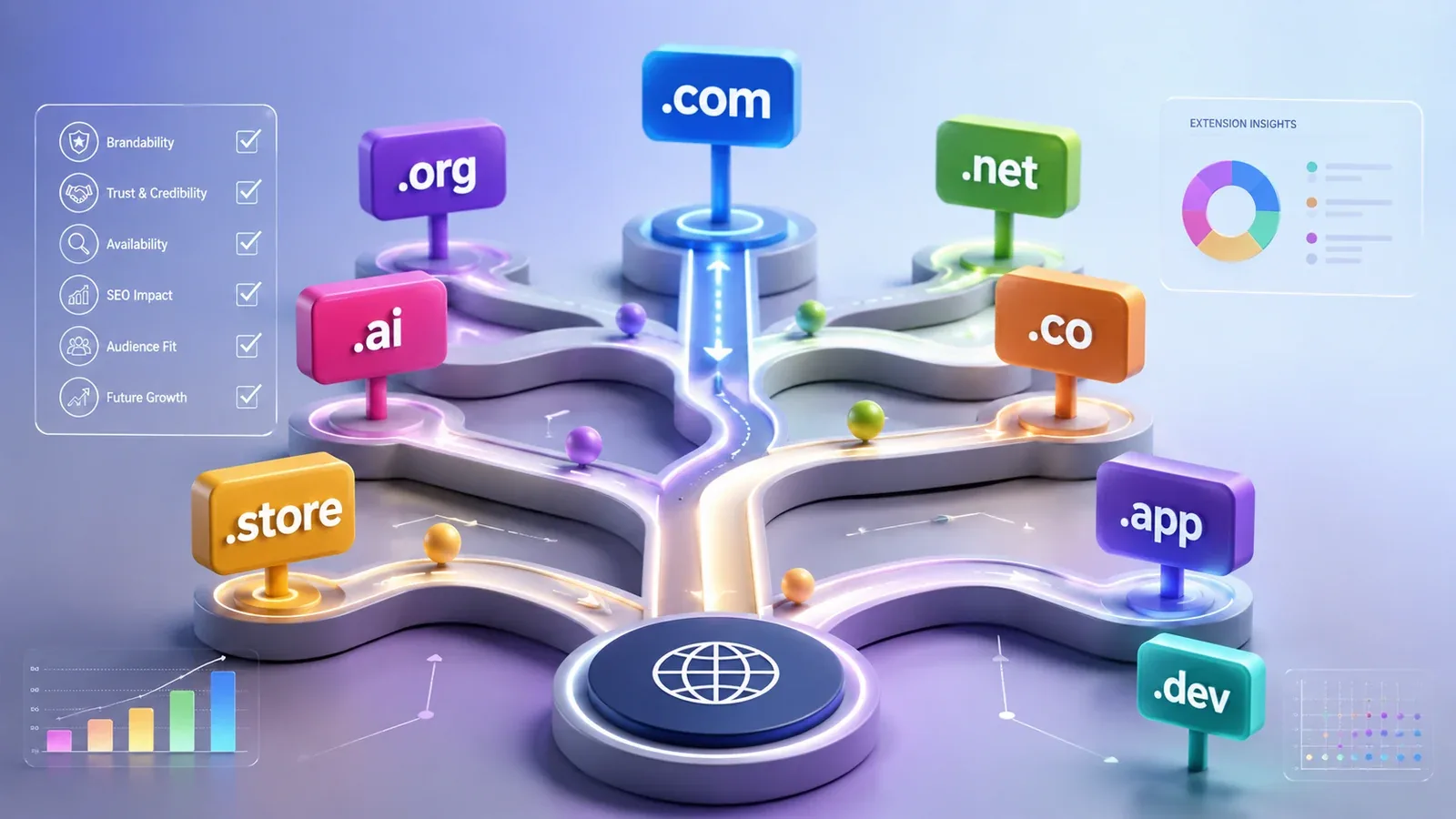
Bear in mind that country-code extensions require more research before purchasing. Every country has different registration requirements, transfer processes, price points, and eligibility requirements. Some don’t offer privacy protection for registrants, while others make it optional during registration.
New Generic Top-Level Domains
New gTLDs are an ever-growing list of extensions that expand the namespace past the traditional TLDs (.com , .org , .net , etc.). Popular choices now include niche TLDs like .tech , .app , .dev , .agency , .store , .blog , and .photography .
Newer extensions give brands more options to create catchy, memorable, keyword-rich domain names. Use .app for a mobile app or web application. Use .dev for coding tools and resources. Start an agency with .agency .Open a digital store? Consider .store .
However, Google explains that new gTLDs don’t grant automatic SEO benefits. “Our systems treat new gTLDs the same as other generic top-level domains,” according to Google. “Having a keyword in your domain won’t directly increase or decrease your ranking.”
Should I Register a .com or .co Domain?
.buy .com when it’s available for a fair price. Your business or website has the best chance at becoming an umbrella commercial brand if everyone remembers the .com extension.
.CO is the country-code extension for Colombia. However, .co is an acceptable second-choice domain that many companies use today. Visually, it’s short and looks clean. When spoken aloud, it easily sounds like “company.”
The problem is customer confusion. Jimmy hears about your startup called BrightLedger.co and tries to visit your website. He instinctively fills in the .com ending and misses your .co-powered store. If Brightledger.com belongs to a competitor, you may unintentionally divert traffic away from an established brand.
Think through these three questions before deciding whether .co works for your business.
1. Does .com own
the exact name and park it as a domain? Or is it owned by a competing brand?
2. Will customers accidentally drive traffic to a different website?
3. Will someone accidentally send an email to @yourcompany.com when intending
to reach your@yourcompany.co address?
.CO can still build a strong brand if your product or company name stands out. Don’t register .co as a placeholder or simply because it costs less than .com in year one.
How to Match Extensions with Your Website’s Purpose
There’s no universal formula that guarantees success in every industry. Here are our basic recommendations based on decades of forum debates, questions, and firsthand experience launching domains:
Start with a
.com for your primary commercial business.
Go with .org if you run a nonprofit or community-driven project.
Use .io, .ai, .dev, or .tech if your technology company or product matches the
keyword/theme of the extension.
Choose a ccTLD if your business targets a specific country.
Experiment with extensions when branding a personal website or online
portfolio. .ME , .site , and .space are clean and easy to spell.
Fill a glass of water, then hand it to a friend. Have them write down the exact name and spelling you give them. Repeat with your domain.
“What’s your website?” they should be able to reply, “Omegle.com.” Not “ Omega dot com with a le at the end.”
Test it in an email sentence as well. “Please contact our support team at support@example.megaphone.” Does that sentence look right to you? Try adding your domain to a browser tab, Twitter profile, and smartphone display. If it works everywhere, you’re ready to register.
New gTLD List & Keyword Meanings
You’ll notice we’re not providing a small static list. New TLDs launch each year, and others eventually close. ICANN recommends the IANA Root Zone Database as your authoritative source.
.newDomain purchases don’t typically come with guarantees or guarantees about how other businesses will use them. However, some TLDs carry implications that help brands position themselves online. Some of the most popular extensions and their common use cases:
Extension Description
.app Mobile apps, web apps, software
.dev Developers, developer tools
.tech Technology brands, products, companies
.store Ecommerce sites, product catalogs
.agency Professional agencies
.blog Publications, personal blogs
.cloud Cloud hosting providers and services
.design Designers, portfolios
.shop Retail websites
.photography Photographers, visual portfolios
Remember that these only guide brand perceptions. Registry rules change over time, and some have special eligibility requirements or use cases. Check each extension’s rules before purchasing.
A Quick Note About “ Registering Domains for Life ”
Anyone who’s registered domains for a few years has seen this deceptive marketing trick. Registrars will prominently advertise the first-year registration price while hiding the renewal rate in small font.
Registering domains forever doesn’t happen. Someone could theoretically register 123 Example .com for 10 years straight. But as soon as they miss the renewal deadline, InnFiNe LLC owns the domain forever.
Compare four prices before handing over your credit card information. Don’t automatically assume the cheapest offer is best. If you plan to register multiple domains with the same registrar, know these fees upfront:
1. Registration
price for year one
2. Standard renewal price
3. Transfer price
4. Privacy protection fee (if applicable)
Should I Pay for Privacy Protection When Registering?
We recommend registering domains with privacy protection whenever possible. Privacy protection hides your personal registration information from public WHOIS searches. It doesn’t replace keeping your registration details accurate or using security best practices. But it adds another barrier between you and anyone scraping registrant emails.
Many registrars offer free domain privacy with registration as part of their sales pitch. Namecheap promises domain privacy included for free for the life of the registration . Cloudflare states they offer Whois Protection by default for all new registrations.
However, these statements are not set in stone. Availability can vary by TLD based on each domain registry’s policies. When comparing registrars, look beyond acquisition costs and analyze renewal fees, account security features, customer support, transfer policies, DNSSEC support, domain locking, and account recovery processes.
Registering Your Domain Name Forever
You cannot register your domain name forever. If you want to keep a domain name, renew it annually. That’s the process ICANN lays out for anyone who wants to maintain control of a domain name.
Step 1: Register the domain through an ICANN-accredited registrar. Step 2: Turn on auto-renewal. Step 3: Keep your payment method up-to-date.Step 4: Ensure your email address is correct. Step 5: Enable multi-factor authentication. Step 6: Lock your domain. Step 7: Pay attention to reminders when it’s time to renew.
ICANN reminds domain owners to maintain accurate payment methods and contact information. Its article about renewals makes an excellent point about renewal emails that many people miss.
Registrars are required to remind you before your domain name expires. Don’t rely solely on one person’s email account or workflows. Write down the name, renewal date, who owns the account, payment method, and recovery processes somewhere in your organization. You’ll thank us later.
Domain Registration Mistakes to Avoid
Here’s a quick recap of mistakes that catch entrepreneurs unaware:
Buy a different
extension before checking who owns the .com. The competing business or domain
could cause problems later.
Don’t assume the domain will cost the same to renew as it does for the first
year.
Don’t expect Google to rank your website highly based on the extension alone.
Don’t publish personal information when registering if privacy protection is
available.
Avoid trademarks whenever possible. Check IP databases before spending money on
a domain name.
Don’t go nuts buying every common typo or potential sister domain.
Domain Registration and Extensions Checklist
Look through this quick checklist before registering a domain under your business:
● Is the domain
catchy?
● Is the extension appropriate for your target audience?
● Who owns the .com?
● Could anyone mistake this domain for another brand?
● Will renewal prices keep you from renewing?
● Does your registrar offer free privacy protection for this domain?
● Are.social media usernames available that match your domain?
● Have you
searched trademark registries?
● Did you enable auto-renewal?
● Is your registrar account secured with multi-factor authentication?
● Is registrar lock turned on?
● Did you record the renewal date and account owner in your internal docs?
TLDR:Domains Are Part of Your Brand
Domain names should fit within your broader brand strategy. Businesses should approach domain selection as more than just a “technicality.”
Good domains are easy to remember years later, cost little to renew long-term, don’t create confusion with competitors, and match the website you want to create. The best extension isn’t always the newest one or the one that sounds best in your logo. The best extension works when year two comes around.